SlabStack Updates

What's New in SlabStack

Thanks for being part of the Founder's Club and rocking with us this early. Your feedback and bug reports have been huge — a lot of what's on this list came directly from you guys.

53 releases shipped · March 17–29, 2026
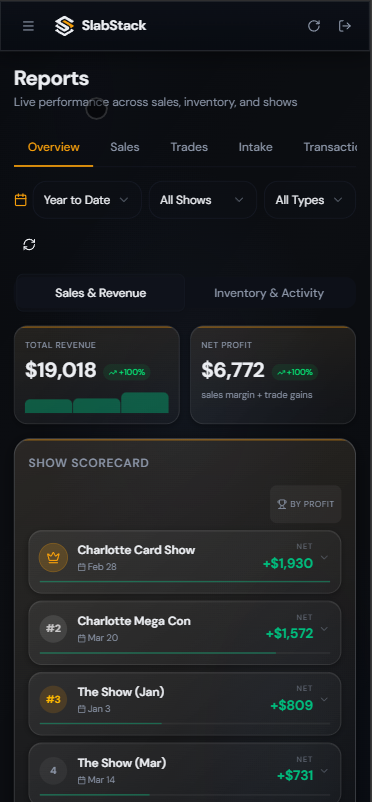
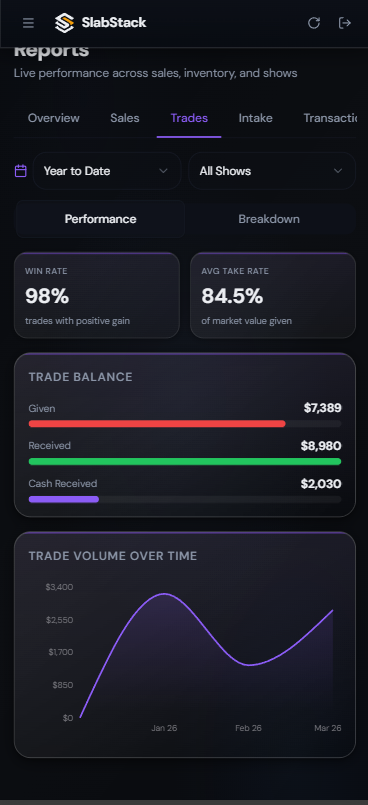
Sales analytics Trades analytics
New

Reports — Rebuilt From the Ground Up

The Reports page went from a basic sales summary to a full business intelligence dashboard with 6 dedicated tabs.

  • Sales — Revenue, margin %, AOV, top cards, payment breakdown, sales over time
  • Trades — Win rate, take rate, realized gain, trade balance, top trades with card-level detail
  • Intake — Buy rate, sell-through rate, cost brackets, and Inventory Aging by urgency tier
  • Overview — Total P&L, trade ROI, Show Scorecard ranking every event by net profit
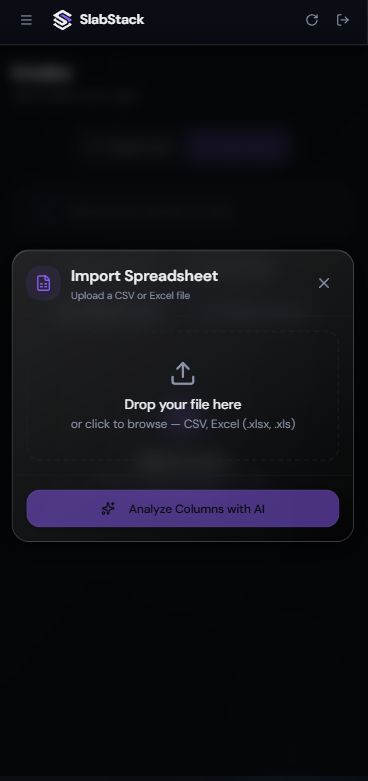
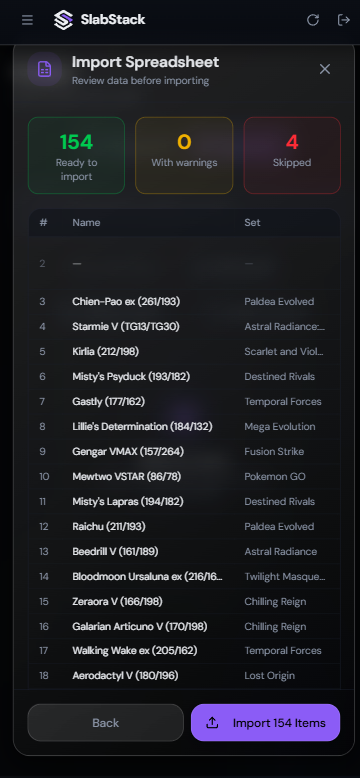
Import spreadsheet upload AI column mapping
New

CSV & Excel Bulk Import

Import inventory from any spreadsheet, not just TCGPlayer exports. Upload a file and our AI automatically maps your columns to the right fields.

  • Multi-sheet Excel files supported
  • Preview and match against our catalog before importing
  • TCGPlayer fixes — leading zeros, sealed categorization, language mapping
  • Unmatched items flagged with Needs Review badges
Slab scanner on trades Trade summary verdict
Improved

Trades — Faster and Clearer

The trade screen got a major overhaul focused on speed and clarity.

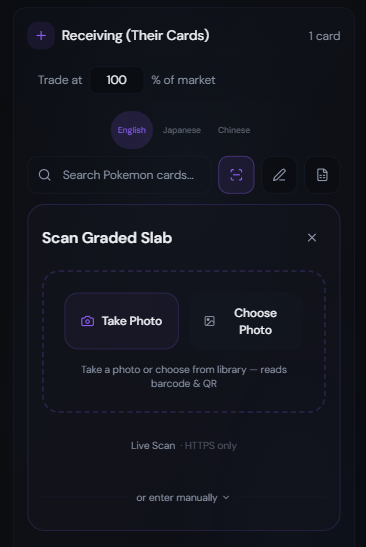
  • Slab scanner — scan graded cards directly while building a trade
  • Compact card rows with printing variant selector
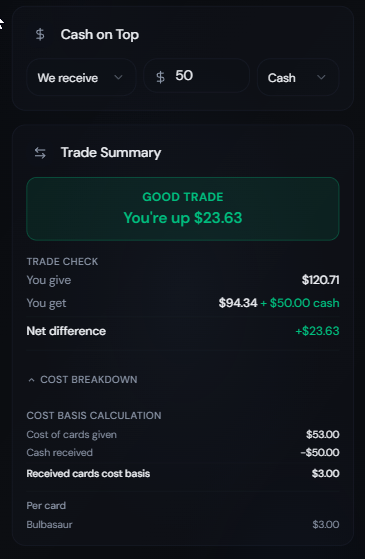
  • Cost basis tracking per card in every trade
  • Trade verdict now compares at 100% market value
Grading submissions Receive grades
New

Grading — Full Lifecycle

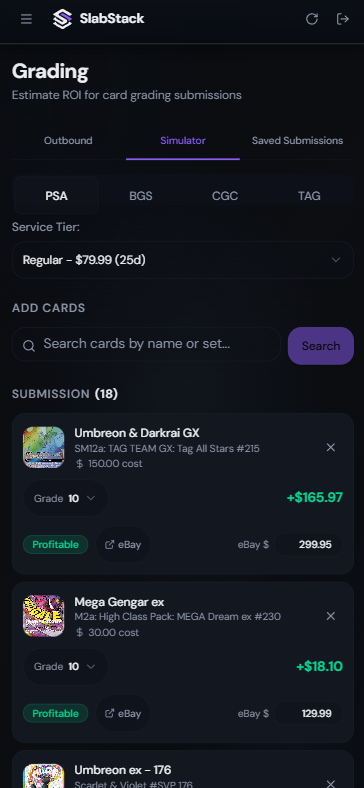
Track cards through the entire grading process:

  1. Submit — Add cards to a grading submission
  2. Send — Mark as sent to the grading company
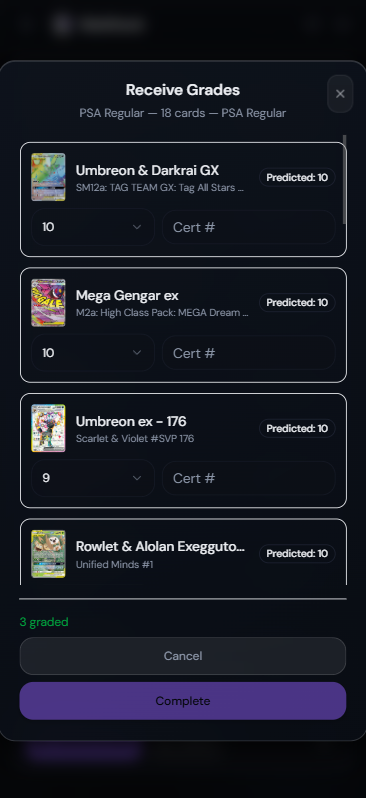
  3. Receive — Enter actual grades and cert numbers
  4. Auto-update — Inventory converts to graded status automatically
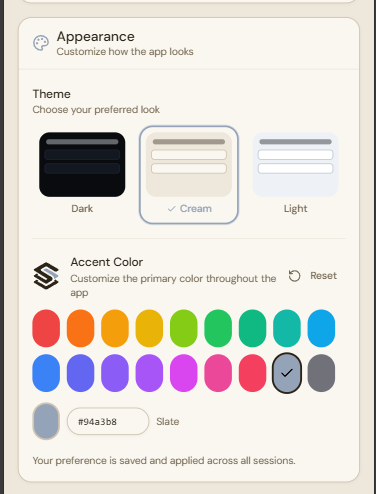
Theme and accent color picker
Improved

Visual Refresh

The entire app got a design overhaul.

  • 3 preset themes — Dark, Cream, and Light
  • 18 accent colors — match your brand
  • Redesigned inventory cards with smart metadata pills
  • Better empty states, escape-to-close, iOS refresh button
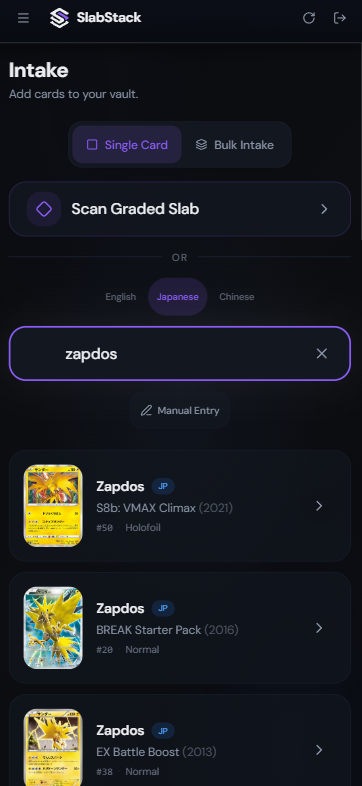
Intake search with slab scan results
Improved

Card Search — Rebuilt for Relevance

  • Smarter ranking — relevant results first, not random
  • Inline prices in search results
  • Language badges — blue "JP" badge on Japanese cards
  • Sealed products now appear alongside singles
  • Deduplication — no more seeing the same card 3x

New

One Piece TCG Support

SlabStack now supports One Piece Trading Card Game alongside Pokemon. This is a work in progress — more sets and cards are being added.


New

Shows, Expenses & Recaps

Show Expense Tracking

Log overhead costs per show — table fees, hotel, travel, parking, food, and supplies. Expenses are deducted from profit across the entire app.

Show Recap Emails

Recap emails were silently failing for most users. They now work reliably and include actual sale prices, total expenses, venue location, and a View Full Report link.


Fixed

Everything Else


What's Next

You know how the slab scanner lets you scan a graded card and instantly pull up everything — company, grade, cert number, card name?

Now imagine pointing your camera at any card — raw, sealed, any language — and having it identified in seconds. No searching. No typing. Just scan and go.

Stay tuned.